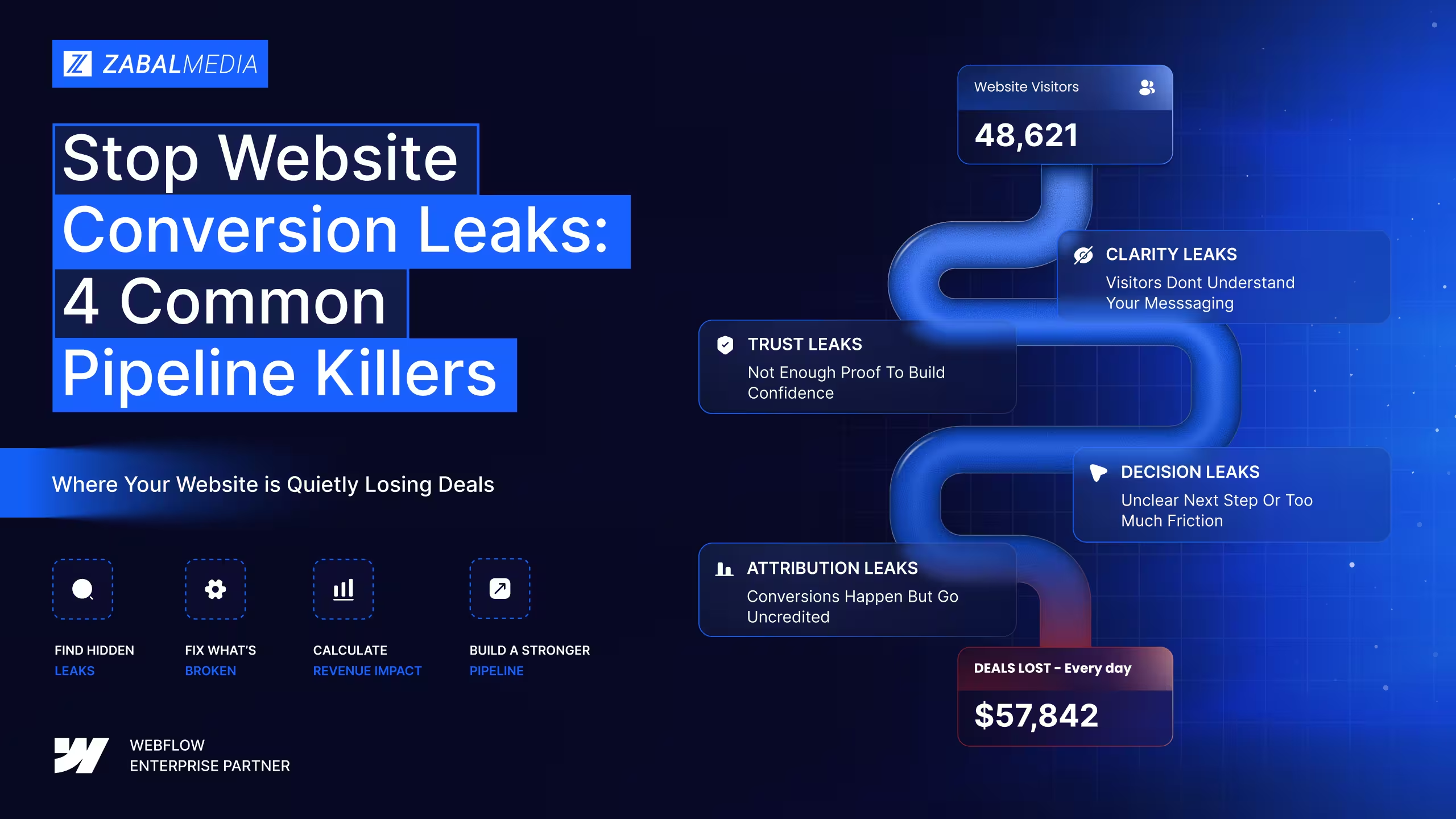
Stop Website Conversion Leaks: 4 Common Pipeline Killers
A diagnostic framework for SaaS marketing teams that need to find where qualified buyers drop off before converting.

.svg)
Traffic problems are loud. Pipeline leaks are quiet. The quiet ones often cost more because they stay hidden longer.

Your SaaS website may be getting traffic, but that does not always mean it is creating a pipeline.
For many SaaS marketing teams, the problem is not awareness. It is what happens after qualified buyers land on the site. They arrive with intent, scan the page, hesitate, lose trust, or drop off before taking the next step.
The leak is not always obvious. Forms may still work. Pages may still load. Campaigns may still drive visits. But somewhere between first touch and booked demo, revenue quietly slips away.
This manual gives SaaS marketing leaders a practical framework for finding those leaks, estimating their business impact, and developing a more effective website strategy.
Built for CMOs, VP Marketing, Heads of Demand Gen, and Marketing Ops leaders at SaaS companies where traffic looks healthy but pipeline feels thinner than it should.
What This Manual Covers
- A pipeline leak diagnostic framework
- A simple revenue impact calculator
- An attribution triage process
- A funnel repair checklist
- A 30 day plan for identifying and fixing the biggest leaks
01: What a Pipeline Leak Actually Is
A pipeline leak is not always a broken form, a 404 page, or a tracking error. Those issues are visible and usually easy to catch.
A real pipeline leak is a structural pattern where qualified visitors disengage at a predictable point in the journey.
They do not complain. They do not submit feedback. They simply leave.
That is what makes pipeline leaks expensive. They often look like normal website behavior until you connect the data to revenue outcomes.
The Four Leak Categories
Clarity Leaks
A visitor lands on the site but cannot quickly understand what you sell, who it is for, or why it matters. The page did not technically fail. It simply did not communicate fast enough.
Common signs: High bounce rate on key pages; low scroll depth; visitors leaving within the first few seconds; hero sections that sound polished but vague.
Trust Leaks
The visitor engages with the page but never builds enough confidence to convert. The offer may be relevant, but the proof is weak, buried, outdated, or too generic.
Common signs: Visitors scroll but do not click; case studies are hard to find; logos appear too late on the page; claims are not supported by proof.
Decision Leaks
The visitor is interested, but the next step is unclear, hidden, or too demanding. They leave with intent still intact, and often continue their research somewhere else.
Common signs: Low CTA click through rate; demo forms with too many fields; pricing pages that create more questions than answers; multiple competing CTAs on the same page.
Attribution Leaks
Conversions happen, but marketing cannot clearly connect them back to the source, page, campaign, or journey that influenced them. This creates a different kind of leak: pipeline exists, but the website and marketing team do not get proper credit for it.
Common signs: GA4, CRM, and ad platforms disagree; sales logs leads differently than marketing; content influences deals but receives no attribution; high value opportunities appear as direct or unknown.
The CMO Reframe
Traffic problems are loud. Pipeline leaks are quiet. The quiet ones often cost more because they stay hidden longer.
02: The 9 Leak Points on SaaS Marketing Websites
Across SaaS website audits, the same leak points tend to appear repeatedly. Most websites do not have one single issue. They usually have several smaller points of friction that compound across the buyer journey.
Leak 1: The Clarity Fold
The above the fold section fails the three second test. A cold visitor cannot quickly tell what you do, who it is for, why it matters, and what to do next. The fix is not more copy. It is sharper positioning.
Leak 2: The Proof Vacuum
Logos, testimonials, customer stories, or metrics are missing, generic, or placed too far down the page. Trust signals arrive after the visitor has already decided to leave. The fix is to bring proof closer to the decision point.
Leak 3: The Solution Drift
The homepage tries to speak to too many audiences at once. Enterprise buyers, SMBs, product users, technical evaluators, and executives all get mixed into one generic message. The fix is to create clearer segmentation and stronger page level intent.
Leak 4: The Pricing Fog
The pricing page does not help buyers understand which plan, package, or path is right for them. There is no anchor tier, no clear comparison logic, and no explanation of who each option serves. The fix is to make pricing feel like guidance, not homework.
Leak 5: The Form Cliff
The demo or trial form asks for too much too soon. Every additional field increases effort, especially if the buyer does not yet trust the value exchange. The fix is to collect the minimum information needed to start the conversation, then qualify later.
Leak 6: The Mobile Collapse
The mobile experience feels like a compressed version of the desktop site instead of a conversion path built for mobile behavior. Common issues include slow load times, CTAs that are hard to reach, small tap targets, long forms, and content that is difficult to scan. The fix is to review mobile as its own journey, not an afterthought.
Leak 7: The Content to CTA Gap
Blog posts, guides, and resources attract qualified traffic but do not create a clear pathway to the product. Readers consume the content, then exit without knowing what to do next. The fix is to add contextual CTAs, relevant internal links, and product pathways that match the topic.
Leak 8: The AI Visibility Gap
Buyers are increasingly using AI assistants and answer engines to compare vendors, understand categories, and shortlist options. If your brand is not appearing in those answers, your website may be losing visibility before buyers ever reach Google or your homepage. The fix is to structure content clearly, answer category questions directly, and strengthen the signals that help AI systems understand and cite your brand.
Leak 9: The Tracking Break
GA4, ad platforms, and CRM data do not agree on what converted. When tracking breaks, teams cannot confidently identify what is working, what is underperforming, or where pipeline is being created. The fix is to reconcile analytics, CRM, and campaign data into one reporting workflow.
How Many Leaks Is Your Site Running?
- 0 to 2 leaks: strong foundation, focus on refinement
- 3 to 5 leaks: structural optimization needed
- 6 to 7 leaks: major website repair or rebuild territory
- 8 to 9 leaks: the site is likely creating serious pipeline drag
03: How to Estimate What a Leak Costs
“We might be leaking pipeline” is a concern. “We are likely losing $450K per quarter through the pricing page” is a business case.
The goal is not to make a perfect forecast. The goal is to estimate the size of the opportunity well enough to prioritize the work.
The Simple Math
For any leak point, use this formula: Monthly visitors × drop off rate × lead to pipeline value = estimated monthly leak value.
For example: If a high intent page receives 10,000 monthly visitors, 4% of visitors drop before reaching the CTA, and each qualified lead is worth $1,500 in pipeline value, the estimated leak value is 10,000 × 4% × $1,500 = $600,000 in potential monthly pipeline impact. This is not guaranteed revenue. It is a prioritization estimate.
Applied Example: Mid Market SaaS Company
Imagine a Series C SaaS company with 80,000 homepage visitors per month, a 2.8% homepage visitor to MQL conversion rate, and a $1,800 average MQL to pipeline value. If improving page speed, clarity, and CTA structure lifts homepage conversion from 2.8% to 3.6%, the estimated impact could be 640 incremental MQLs per month and $1.15M in incremental monthly pipeline. Again, this is an estimate. The value is in helping leadership understand why the fix matters.
Leak Cost Benchmarks
Quick Win
Pick your highest traffic page and calculate the impact of a 1% conversion lift. That number gives you a starting point for the minimum upside of fixing just one page.
04: The Diagnostic Framework
How to Find Leaks in One Afternoon
Most audits take weeks. A first pass diagnostic can happen much faster. This four layer scan gives your team enough signal to identify the biggest leaks and decide where deeper analysis is needed.
Layer 1: Behavioral Signal
Estimated time: 45 minutes
Open Hotjar, Microsoft Clarity, or another session recording tool for your top 10 pages. Watch sample recordings and look for where visitors hesitate, scroll back, abandon, miss CTAs, or skip sections. You are looking for patterns, not one off behavior.
Layer 2: Data Signal
Estimated time: 60 minutes
In GA4 or your analytics platform, review scroll depth, bounce rate, time on page, conversion rate, CTA click through rate, form start rate, and form submit rate. Segment the data by device, traffic source, page type, campaign, and new vs returning visitors.
Layer 3: Visitor Journey Signal
Estimated time: 60 minutes
Pick five key entry points: paid search, organic search, direct traffic, email, and referral traffic. Walk through each path as a cold visitor and ask whether the message is consistent, the next step is obvious, the page answers the buyer’s likely question, and there is enough proof to build confidence.
Layer 4: AI Visibility Signal
Estimated time: 45 minutes
Run category relevant prompts through tools like ChatGPT, Perplexity, Claude, and Gemini. Document whether your brand appears, which competitors appear, which sources are cited, what language is used to describe the category, and which questions your site does not answer clearly.
What to Produce
- A ranked list of likely leak points
- An estimated business impact for each
- A clear priority order
- A 30, 60, and 90 day repair plan
05: The Five Highest Impact Repairs
Not all leaks deserve the same urgency. The best repair plan starts with fixes that are high impact, low complexity, and easy to measure.
Repair 1: Rewrite the Hero for the Three Second Test
Estimated effort: 3 to 5 days. Potential lift: meaningful improvement in homepage engagement and CTA clicks. Replace vague brand language with specific buyer language. Instead of “The AI platform for modern teams,” use “The AI agent platform that reduces Tier 1 support volume.” One clear promise beats ten clever ones.
Repair 2: Restructure the Pricing Page
Estimated effort: 1 to 2 weeks. Potential lift: stronger pricing to demo conversion. Add a clear anchor tier, comparison logic, “Recommended for” labels, FAQs near decision points, and a clear enterprise path.
Repair 3: Cut the Demo Form to Essential Fields
Estimated effort: 1 day. Potential lift: higher form completion rate. Start with name, work email, and company. Everything else can happen later through enrichment, progressive profiling, or the discovery call.
Repair 4: Add FAQ Schema to Key Pages
Estimated effort: 3 to 5 days. Potential lift: stronger organic and AI visibility signals. Schema will not fix weak content, but it can help search engines and AI systems better understand well structured content as part of a broader SEO and AEO strategy.
Repair 5: Fix Core Web Vitals on Mobile
Estimated effort: 1 to 3 weeks. Potential lift: better mobile engagement and conversion. Prioritize LCP under 2.5 seconds, CLS under 0.1, compressed media, reduced third party scripts, clean mobile layouts, large tap targets, and shorter mobile forms.
06: The Attribution Triage
Pipeline that goes untracked is pipeline that goes unfunded.
Attribution leaks are expensive because they do not always reduce pipeline directly. Instead, they make it harder to prove what created the pipeline.
When attribution is broken, good channels can look weak, poor channels can receive too much budget, and leadership loses confidence in marketing reporting.
The Six Attribution Breaks
Break 1: Offline conversions never flow back to ad platforms
Meta, Google, and LinkedIn cannot optimize toward pipeline if they only see form fills. Set up offline conversion imports so ad platforms can learn from qualified opportunities, not just leads.
Break 2: CRM source data does not match marketing source data
Sales may log a lead as inbound while marketing tracks it as paid search. This creates reporting conflict and makes channel performance harder to trust.
Break 3: GA4 and CRM report different conversion counts
Some variance is expected because tools measure differently. Large, unexplained gaps should trigger an audit of events, forms, UTMs, cookies, consent settings, and CRM integrations.
Break 4: Enterprise deals bypass attribution
Large enterprise opportunities may enter through referrals, partner introductions, events, or dark social. If these touchpoints are not documented, marketing influence disappears from reporting.
Break 5: AI referred traffic is not segmented
Traffic from AI tools and answer engines may not appear cleanly in standard analytics reports. Create custom explorations or segments where possible and monitor referral patterns from emerging discovery sources.
Break 6: Content attribution is incomplete
Content can influence pipeline without being the final conversion touch. If reporting only credits last touch, blog posts, guides, and comparison content may look less valuable than they are.
The 30 Day Attribution Fix
- Week 1: Audit all pixels, tag managers, forms, and CRM integrations
- Week 2: Reconcile GA4 numbers with CRM numbers and document the gap
- Week 3: Build segments for high intent content, assisted conversions, and emerging referral sources
- Week 4: Create a weekly attribution report for leadership
07: Benchmark Data
Benchmarks are useful, but they should not be treated as universal rules. A healthy conversion rate depends on your category, ACV, sales cycle, traffic mix, brand awareness, and offer type. Use these benchmarks as directional signals, then compare them against your own historical performance.
If your numbers are worse than the healthy range, the site may have conversion leaks. If your numbers look healthy but pipeline still feels inconsistent, the issue may be attribution, sales handoff, lead quality, or reporting alignment.
Ready to Find the Leaks Costing Your Pipeline?
Most SaaS websites are not losing pipeline because of one massive failure.
They lose it through small moments of confusion, friction, doubt, and reporting gaps that compound across the buyer journey.
The good news is that these leaks can be found, prioritized, and fixed.
Start Here
- Run the four layer scan
- Identify the leak with the highest estimated impact
- Patch it first
- Measure the lift
- Use the results to guide the next sprint
After 100+ Enterprise SaaS Builds, We Know Where the Leaks Hide
Zabal Media has helped SaaS and technology brands build scalable Webflow experiences that support growth, improve site performance, and give marketing teams more control over their website, as explored further in the Webflow Enterprise Agency Playbook.
From SaaS brands like Oyster, Hubilo, Ikigai, and Loop to enterprise technology teams, Zabal’s work focuses on turning marketing websites into stronger growth channels through ongoing support or large-scale Webflow migrations.
If your marketing website should be creating pipeline instead of quietly losing it, let’s talk.
Book a free Pipeline Leak Audit with Zabal Media.
Share this article
Zabal Journal
Related Content
The Webflow Landing Page Playbook: 5 Data Backed Strategies That Turn Visitors Into Customers
A practical guide to building Webflow landing pages that improve clarity, speed, trust, and conversions.


SEO vs. AEO: What’s Changing in the Age of AI Search
Discover the differences between SEO and AEO, why AI is changing search, and how SaaS and enterprise brands can future-proof visibility with Answer Engine Optimization.
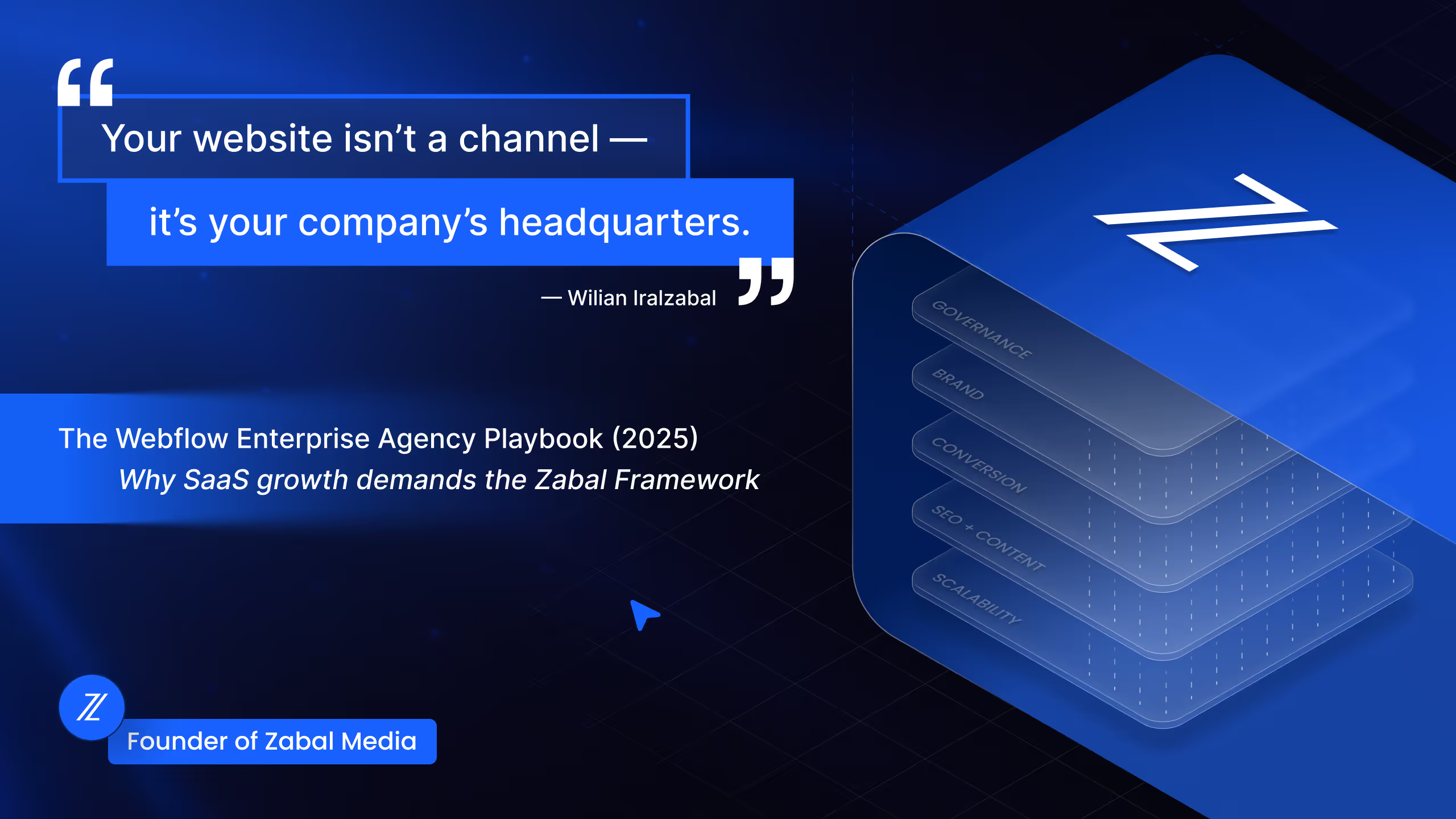
Webflow Enterprise Agency Playbook (2025) | Why SaaS Growth Demands the Zabal Framework
Zabal Media reveals its 5-Layer Webflow Enterprise Framework for SaaS leaders. Learn why most websites fail and how to transform yours into a true growth engine.